OPay, PalmPay, Kuda & Moniepoint USSD Codes for Bill Payments in Nigeria 2026/2027 – Ultimate Guide
Discover the latest 2026/2027 USSD codes for OPay (*955#), PalmPay (*861#), Kuda (*894#), and Moniepoint (*5573#) to pay electricity, DSTV, airtime, data, and other bills in Nigeria without internet. Step-by-step guide, tables, FAQs, and tips for fast, secure mobile money transactions.
Complete OPay, PalmPay, Kuda & Moniepoint USSD Codes for Bill Payments
In the fast-paced world of digital banking in Nigeria, USSD codes have become a lifesaver for millions. As we step into 2026 and look ahead to 2027, fintech platforms like OPay, PalmPay, Kuda, and Moniepoint continue to lead the charge in making financial transactions seamless, especially for bill payments.
Whether you are recharging your prepaid electricity meter, paying for DSTV subscriptions, buying airtime, or settling water bills, these mobile money services offer reliable USSD options that work without internet.
This is crucial in a country where network coverage can be spotty, and not everyone has access to smartphones or data plans.
Why focus on USSD codes for bills in 2026/2027? With Nigeria’s Central Bank pushing for financial inclusion, these codes are evolving to handle more utilities securely and instantly.
OPay’s *955#, PalmPay’s *861#, Kuda’s *894#, and Moniepoint’s *5573# are at the forefront, allowing you to pay bills like electricity (from DISCOs such as Ikeja Electric or Eko Disco), cable TV (DSTV, GOtv, Startimes), internet data, and even betting or insurance premiums. No app downloads, no waiting in queues, just dial from any phone.
This ultimate guide dives deep into dedicated sections for each platform, with step-by-step instructions, tables of codes, troubleshooting tips, and security advice. We will cover how these USSD codes make bill payments effortless, their advantages over traditional banking, and how they fit into Nigeria’s growing cashless economy.
By the end of this article, you will have everything you need to manage your bills efficiently in 2026 and beyond. Now, Let’s get started!
Read Also: Lowest Interest Rate Car Loans 2026: Best Banks in Nigeria & USA (Compare & Apply Now)
What Are USSD Codes and Why Use Them for Bill Payments in Nigeria?
USSD, or Unstructured Supplementary Service Data, is a simple technology that lets you interact with your bank or fintech account by dialing short codes on your phone. It’s like texting your bank—quick, offline, and available on any GSM phone, from basic Nokia models to the latest Androids. In Nigeria, where over 40% of adults still rely on feature phones, USSD codes bridge the gap for financial access.
For bill payments specifically, USSD shines in 2026/2027 because:
- Offline Convenience: No internet means you can pay bills during power outages or in remote areas.
- Speed: Transactions complete in under 2 minutes, with instant confirmations via SMS.
- Low Cost: Most charge ₦10-₦50 per transaction, often less than ATM fees.
- Security: PIN-protected and encrypted, reducing fraud risks compared to cash payments.
- Versatility: Handle electricity, TV subscriptions, airtime, data, water, and even school fees.
Fintechs like OPay, PalmPay, Kuda, and Moniepoint have tailored their USSD services for mobile money users. According to recent CBN reports, mobile money transactions hit ₦15 trillion in 2025, with bill payments growing 30% yearly. These platforms are CBN-licensed, ensuring your funds are safe. If you’re new to this, start by registering your phone number with your account usually via the app or by dialing the main code.
In the sections below, we’ll break down each platform’s USSD codes for bills, with dedicated mobile money focus.
OPay USSD Codes for Bill Payments: Complete Guide for 2026/2027
OPay, one of Nigeria’s top fintechs with over 30 million users, has revolutionized mobile money with its *955# USSD code. Launched as a simple transfer tool, it now supports a wide range of bill payments, making it ideal for everyday Nigerians. In 2026/2027, OPay’s USSD remains free for most basic transactions, with minimal fees for bills, and it’s compatible with all networks (MTN, Airtel, Glo, 9mobile).
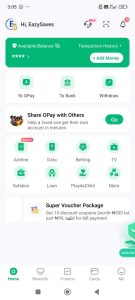
Key OPay USSD Codes for Bills
Here’s a quick table of essential codes:
| Service | USSD Code | Description |
|---|---|---|
| Main Menu | *955# | Access all services |
| Electricity Bill | 9556# (then follow prompts) | Pay for prepaid/postpaid meters |
| Betting/Lottery | 9555# | Fund betting accounts (e.g., Bet9ja) |
| Airtime (Self) | 9553*Amount# | Recharge your phone |
| Airtime (Others) | 9553AmountPhone Number# | Recharge for family/friends |
| Data Purchase | 9554*Phone Number# | Buy data bundles |
| Balance Check | 9550# | View account balance |
| OTP Retrieval | 955010# | Get one-time password |
Step-by-Step: Paying Bills with OPay USSD
- Electricity Payments: Dial 9556# from your registered phone. Select your DISCO (e.g., Ikeja Electric), enter your meter number (11 digits), input the amount (min ₦500), and confirm with your PIN. Token arrives via SMS instantly—perfect for avoiding disconnections in 2026.
- TV Subscriptions (DSTV/GOtv/Startimes): From the main menu (*955#), navigate to “Pay Bills” > “TV/Cable.” Enter your smartcard/IUC number, choose package (e.g., DSTV Compact), enter amount, and PIN. Renewal is seamless, even at midnight.
- Water or Other Utilities: OPay supports select state water boards. Go to *955# > “Pay Bills” > “Utilities,” select provider, enter details, and pay.
- Airtime and Data as Bills: Treat airtime as a utility bill. For data, 9554# lets you buy bundles for MTN, etc., which counts toward monthly bills.
Benefits of OPay for Mobile Money Users
OPay’s USSD is mobile-money centric, integrating with its wallet for rewards like cashback on bills (up to 5% in 2026). It’s great for agents too—dial *955# to manage customer payments. Security features include auto-logout after inactivity and fraud alerts. If you’re in Lagos or Abuja, OPay’s partnerships with DISCOs ensure faster token delivery.
Troubleshooting: If a transaction fails, check balance with 9550# or call OPay support (0700 888 8288). Always update your app for synced USSD features.
In 2027, expect OPay to add more billers like insurance premiums via USSD, expanding its mobile money ecosystem.
PalmPay USSD Codes for Bill Payments: Dedicated Mobile Money Section
PalmPay, with its user-friendly approach, has grown to 25 million users by 2026, thanks to its *861# USSD code. Introduced in late 2024, this code focuses on accessibility for low-income earners and rural folks, emphasizing mobile money for bills without data. PalmPay’s USSD is CBN-approved and works offline, making it a go-to for 2026/2027 bill payments.
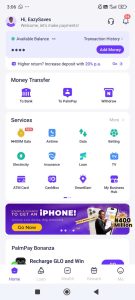
PalmPay USSD Codes Table
| Service | USSD Code | Description |
|---|---|---|
| Main Menu | *861# | Start all transactions |
| Transfer to PalmPay | 8611# (then amount & account) | Send within PalmPay |
| Buy Data | 8613# | Purchase internet bundles |
| Balance Check | 8615# | See wallet balance |
| Airtime Recharge | 8612# (self/others) | Top-up phones |
| Bill Payments (General) | Via menu: *861# > Bills | Electricity, TV, etc. |
How to Pay Bills Using PalmPay USSD
- Electricity Bills: Dial *861# > “Bills Payment” > “Electricity.” Choose DISCO (e.g., Eko Disco), enter meter number, amount, and PIN. Token via SMS—ideal for prepaid meters in 2026.
- Cable TV and Subscriptions: From *861#, select “Bills” > “TV.” Input smartcard number for DSTV or GOtv, pick bouquet, pay, and get instant activation.
- Water and Other Utilities: PalmPay supports growing utilities. Navigate to “Bills” > “Utilities,” select provider (e.g., Lagos Water), enter account details, and confirm.
- Airtime/Data as Essential Bills: 8612# for airtime recharges, treating them as monthly bills to avoid service cuts.
Mobile Money Focus: Reasons PalmPay Excels
PalmPay’s USSD is designed for mobile money agents, with features like bulk bill payments and cashback (up to ₦500 monthly on utilities in 2027).
It’s secure with biometric-linked PINs and low fees (₦20 average). For users in underserved areas, PalmPay partners with agents for cash-in/out, tying USSD to physical mobile money networks.
Tips: Activate via the app first. If issues arise (e.g., “Invalid PIN”), reset via *861# > “Settings.” Contact support at 018886888. Or visit: palmpay.com
By 2027, PalmPay plans USSD integration with more billers, solidifying its role in Nigeria’s mobile money landscape.
Kuda USSD Codes for Bill Payments: App-to-USSD Hybrid for 2026/2027
Kuda Bank, the app-first microfinance bank, offers *894# as its USSD lifeline for offline users. With 6 million customers in 2026, Kuda’s USSD bridges its digital focus with mobile money needs, especially for bill payments. It’s free for most transfers and bills, emphasizing zero-fee banking in 2026/2027.
Kuda USSD Codes Overview
| Service | USSD Code | Description |
|---|---|---|
| Main Menu | *894# | Access menu |
| Bill Payments | *894# > Bills (prompts) | Electricity, TV, etc. |
| Airtime Self | 894Amount# | Quick recharge |
| Airtime Others | 894Amount*Phone# | For others |
| Balance | *894# > Balance | Check funds |
| Transfer | 894Amount*Account# | To Kuda/other banks |
Paying Bills Step-by-Step with Kuda USSD
- Electricity: Dial *894# > “Pay Bills” > “Electricity.” Select DISCO, enter meter, amount, PIN. Token sent immediately.
- TV Subscriptions: *894# > “Bills” > “Cable TV.” Enter details for DSTV/GOtv, pay, and enjoy.
- Utilities like Water: Via “Bills” menu, select available providers and complete.
- Data/Airtime Bills: *894# for quick top-ups, integrated as bill options.
Dedicated to Mobile Money
Kuda’s USSD supports its “free banking” model, with no fees on bill payments under ₦10,000 in 2026. It’s perfect for mobile money users via cardless withdrawals and POS integrations. Security includes transaction limits (₦1m daily) and alerts.
Troubleshoot: Wrong DISCO? Call 016332225. Expect expansions in 2027 for more utilities.
Moniepoint USSD Codes for Bill Payments: Business-Focused Mobile Money in 2026/2027
Moniepoint, powering small businesses with over 10 million users, uses *5573# for USSD. It’s robust for bill payments, blending personal and business mobile money in 2026/2027.
Moniepoint USSD Table
| Service | USSD Code | Description |
|---|---|---|
| Main Menu | *5573# | All options |
| Transfer to Moniepoint | 55731AmountAccount# | Internal send |
| Transfer to Other Banks | 55732AmountAccount# | External |
| Airtime/Data | *5573# > Airtime/Data | Recharge |
| Bills (Electricity/TV) | *5573# > Bills | Pay utilities |
Bill Payment Instructions
- Electricity: *5573# > “Bills” > “Electricity” > DISCO > Details > PIN.
- TV and Subscriptions: Menu > “Bills” > “TV” > Provider > Pay.
- Other Utilities: Similar navigation for water, etc.
Mobile Money Emphasis
Moniepoint’s USSD is agent-friendly, with bulk payments for businesses. Low fees, high limits (₦500k daily), and integration with its app make it versatile.
Tips: Activate in app. Support: 018888999.
Comparing OPay, PalmPay, Kuda & Moniepoint USSD for Bills
All four offer offline bill payments, but OPay leads in variety, PalmPay in accessibility, Kuda in zero fees, and Moniepoint in business tools. Choose based on your needs—e.g., OPay for frequent utilities.
Frequently Asked Questions (FAQs)
- What is the OPay USSD code for bill payments in 2026?
Dial *955# and navigate to “Pay Bills” for electricity, TV, etc.- Can I pay DSTV with PalmPay USSD?
Yes, via *861# > “Bills” > “TV” – enter smartcard and confirm.- Does Kuda have a USSD code for electricity bills?
Yes, *894# > “Pay Bills” > “Electricity” for instant tokens.- How to check balance on Moniepoint USSD?
Dial *5573# and select “Balance Inquiry.”- Are these USSD codes free in 2027?
Mostly yes, with small fees (₦10-50) for bills.- What if I enter wrong meter number?
Contact support immediately; reversals possible if invalid.- Do I need internet for these codes?
No, they work offline on any phone.- Can I pay water bills with OPay USSD?
Yes, select “Utilities” in the menu for supported providers.- Is PalmPay USSD secure for 2026 bills?
Yes, PIN-protected with encryption.- How to activate Kuda USSD?
Register via app or dial *894# and follow prompts.
Conclusion
In 2026/2027, OPay, PalmPay, Kuda, and Moniepoint USSD codes empower Nigerians with easy bill payments. Stay updated, as codes may evolve, always verify via official apps. Embrace mobile money for a hassle-free life!
Hope you find this article useful and informative. Kindly share to others.