Complete guide to Polaris Bank *919# and Fidelity Bank *770# transaction codes. Learn how to transfer money, pay bills, buy airtime & troubleshoot issues.
- Complete Guide to Polaris and Fidelity Bank Transaction Codes in Nigeria 2026
- What Are Bank Transaction Codes?
- Polaris Bank Transaction Codes
- Fidelity Bank Transaction Codes
- Security Features and Best Practices
- Comparing Polaris and Fidelity Bank USSD Services
- Transaction Charges and Fees
- Troubleshooting Common USSD Banking Issues
- Benefits of Using USSD Banking Codes
- Future of USSD Banking in Nigeria
- Frequently Asked Questions (FAQs)
- Conclusion
Complete Guide to Polaris and Fidelity Bank Transaction Codes in Nigeria 2026
If you frequently uses USSD banking services in Nigeria. Both Polaris Bank and Fidelity Bank offer convenient codes that allow customers to perform various banking operations directly from their mobile phones without internet access.
What Are Bank Transaction Codes?
Bank transaction codes, also known as USSD codes, are short alphanumeric sequences that enable customers to access banking services through their mobile phones. These codes work on all mobile devices, including basic phones, making banking accessible to everyone regardless of their smartphone ownership or internet connectivity.
Polaris Bank Transaction Codes
Polaris Bank provides customers with the 919# USSD code for quick and secure banking transactions. This service, branded as VULTe, allows you to perform numerous banking operations from anywhere at any time.
How to Activate Polaris Bank USSD Code
To start using the *919# service, follow these simple steps:
- Ensure your phone number is linked to your Polaris Bank account
- Dial *919# from the registered mobile number
- Create a secure 4-digit PIN when prompted
- Confirm your PIN and start banking
Services Available on Polaris Bank *919#
The VULTe platform offers a wide range of banking services designed to make your financial transactions seamless. You can check your account balance instantly, transfer money to other Polaris Bank accounts or accounts in other Nigerian banks, purchase airtime for yourself or others, pay bills including electricity, cable TV subscriptions, and other utility services, and request your account statement.
For account balance inquiries, simply dial 9190# and follow the prompts. To transfer money to another Polaris Bank account, dial 9191AmountAccount Number# and authenticate with your PIN. For transfers to other banks, use 9192AmountAccount Number# followed by your PIN.
Airtime purchase is straightforward with the code 9193AmountPhone Number#. You can also buy airtime for other networks using the same format. Bill payments can be accessed by dialing 9194# and selecting from the available options.
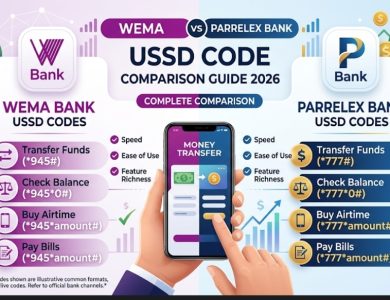
Read Also: Wema Bank &Parrelex Bank USSD Transfer Codes 2026: Complete Comparison Guide
Fidelity Bank Transaction Codes
Fidelity Bank’s USSD banking service operates on the 770# short code. This platform provides similar convenience and security features, allowing customers to bank on the go without visiting physical branches.
Activating Fidelity Bank USSD Service
Getting started with Fidelity Bank’s *770# service requires:
- A registered phone number linked to your Fidelity Bank account
- Dialing *770# from your registered number
- Setting up a unique transaction PIN
- Verifying your identity through the provided options
Complete List of Fidelity Bank Transaction Codes
Fidelity Bank offers an extensive array of services through its USSD platform. Below is a detailed table of the most commonly used transaction codes:
| Service | USSD Code | Description |
|---|---|---|
| Account Balance | 7700# | Check your account balance |
| Transfer to Fidelity Account | 7701AmountAccount Number# | Send money to another Fidelity account |
| Transfer to Other Banks | 7702AmountAccount Number# | Transfer funds to other Nigerian banks |
| Airtime Recharge | 7703*Amount# | Buy airtime for your number |
| Airtime for Others | 7703AmountPhone Number# | Purchase airtime for another number |
| Data Purchase | 7704# | Buy data bundles |
| Bill Payment | 7705# | Pay electricity, cable TV, and other bills |
| Change PIN | 7706# | Update your transaction PIN |
| Account Statement | 7707# | Request mini statement |
| Cardless Withdrawal | 7708# | Generate code for ATM withdrawal without card |
Advanced Features on Fidelity Bank *770#
Fidelity Bank’s USSD service includes several advanced features that enhance user experience. The cardless withdrawal option is particularly useful when you don’t have your ATM card available. Simply generate a token using 7708#, select the amount you want to withdraw, and use the generated code at any Fidelity Bank ATM within a specified timeframe.
The platform also supports loan applications, account opening, and BVN checks, making it a comprehensive banking solution. According to Central Bank of Nigeria’s guidelines on electronic banking, these services must maintain strict security standards to protect customers’ financial information.
Security Features and Best Practices
Both Polaris and Fidelity banks have implemented robust security measures to protect customers using USSD banking services. Understanding these security features and following best practices is crucial for safe banking.
Transaction Limits
Daily transaction limits apply to USSD banking to minimize potential losses from unauthorized access. For Polaris Bank, the typical daily transfer limit ranges from ₦20,000 to ₦1,000,000 depending on your account type and verification level. Fidelity Bank maintains similar limits with options to request increases through official channels.
Protecting Your USSD PIN
Your transaction PIN is the primary security layer for USSD banking. Never share this PIN with anyone, including bank staff. Avoid using easily guessable combinations like birthdates, sequential numbers, or repeated digits. Change your PIN regularly using the designated code, and if you suspect your PIN has been compromised, immediately dial the bank’s customer service line or visit a branch.
Recognizing Fraud Attempts
Scammers often target USSD banking users through social engineering tactics. Be wary of unsolicited calls claiming to be from your bank requesting your PIN, messages asking you to dial certain codes to claim prizes, and requests to transfer money to unknown accounts for verification purposes. Banks will never ask for your complete PIN or request you to make transfers for account verification.
Comparing Polaris and Fidelity Bank USSD Services
While both banks offer comprehensive USSD banking solutions, there are slight differences in their service offerings and user experience. Polaris Bank’s *919# platform is known for its intuitive menu navigation and quick response times. The service integrates seamlessly with the bank’s other digital platforms, providing a cohesive banking experience.
Fidelity Bank’s *770# service stands out with its extensive bill payment options and the cardless withdrawal feature. The platform supports a wider range of utility service providers, making it convenient for users who regularly pay different types of bills. Information from Nigeria Inter-Bank Settlement System (NIBSS) shows that USSD banking transactions have grown significantly, with millions of Nigerians now relying on these services for daily transactions.
Transaction Charges and Fees
Understanding the cost structure of USSD banking helps you budget effectively and avoid surprises. Both banks charge minimal fees for their USSD services, though the exact amounts may vary.
Polaris Bank USSD Charges
Polaris Bank typically charges ₦6.98 per transaction for transfers to other banks, while transfers within Polaris Bank are usually free. Balance inquiries are generally free, with some account types allowing unlimited free checks. Airtime purchases incur nominal charges depending on the network provider and amount purchased.
Fidelity Bank USSD Charges
Fidelity Bank’s fee structure is competitive, with transfer charges ranging from ₦10 to ₦50 depending on the transaction amount and destination bank. The bank occasionally runs promotional campaigns offering reduced or waived fees for certain transactions. Bill payment charges vary based on the service provider and payment amount.
Troubleshooting Common USSD Banking Issues
Users occasionally encounter challenges when using USSD banking services. Understanding common issues and their solutions can save time and frustration.
Code Not Responding
If you dial the USSD code and receive no response, check that your phone number is properly registered with your bank account. Ensure you have adequate network coverage, as poor signal can interrupt USSD sessions. Try restarting your phone and attempting the transaction again. If issues persist, contact customer service for assistance.
Failed Transactions
When a transaction fails but your account is debited, do not immediately retry the transaction. Wait for at least 24 hours, as most banks have automated reversal systems. Keep the transaction reference number if provided. Contact customer service with transaction details if reversal doesn’t occur within the specified timeframe. Most banks reverse failed transactions within 24-48 hours automatically.
PIN Issues
Forgotten PINs can be reset by visiting your bank branch with valid identification. Some banks allow PIN reset through their mobile apps or internet banking platforms. For security reasons, PIN reset via USSD alone is typically not permitted. If you’ve entered wrong PINs multiple times, your access may be temporarily blocked to prevent unauthorized access.
Benefits of Using USSD Banking Codes
USSD banking offers numerous advantages that have contributed to its widespread adoption across Nigeria. The service provides 24/7 accessibility, allowing you to perform banking transactions at any time without visiting physical branches. It works on all phone types, eliminating the need for smartphones or internet connectivity. Transactions are processed instantly, making it ideal for urgent transfers and payments.
The convenience factor cannot be overstated. Whether you’re in a remote area without internet access or simply need to make a quick transfer while on the move, USSD banking provides a reliable solution. The service has been particularly valuable in promoting financial inclusion, enabling millions of Nigerians without access to traditional banking infrastructure to participate in the formal financial system.
Future of USSD Banking in Nigeria
The Nigerian banking sector continues to innovate in the digital space, with USSD banking playing a crucial role in the country’s cashless economy initiative. Both Polaris and Fidelity banks are continuously upgrading their platforms to include more features and improve user experience.
Emerging trends include integration with other fintech services, enhanced security through biometric authentication, and expanded merchant payment options. As Nigeria’s digital economy grows, USSD banking is expected to evolve alongside other payment channels, providing customers with more choices and flexibility in how they manage their finances.
Frequently Asked Questions (FAQs)
1. Can I use Polaris and Fidelity Bank USSD codes without a smartphone?
Yes, both Polaris Bank’s *919# and Fidelity Bank’s *770# codes work on all types of mobile phones, including basic feature phones. You don’t need a smartphone or internet connection to access USSD banking services. As long as your phone can make calls and send SMS, you can use these transaction codes.
2. What should I do if I’m charged for a failed USSD transaction?
If your account is debited for a failed transaction, first wait 24-48 hours as most banks have automated reversal systems. Keep any transaction reference numbers or SMS notifications you received. If the reversal doesn’t occur automatically, contact your bank’s customer service with the transaction details, date, time, and amount. Banks are required to reverse failed transactions promptly according to Central Bank of Nigeria regulations.
3. Are there daily limits on USSD banking transactions?
Yes, both banks impose daily transaction limits for security purposes. These limits typically range from ₦20,000 to ₦1,000,000 depending on your account type, verification level, and the specific transaction type. You can request limit increases by visiting your bank branch with valid identification or through official digital channels. Limits help protect your account from unauthorized access.
4. Can I transfer money to any bank in Nigeria using these codes?
Yes, both Polaris Bank’s *919# and Fidelity Bank’s *770# support transfers to all commercial banks in Nigeria through the Nigeria Inter-Bank Settlement System (NIBSS). Simply select the inter-bank transfer option, enter the recipient’s account number, select their bank from the list provided, enter the amount, and authenticate with your PIN.
5. How secure is USSD banking compared to mobile apps?
USSD banking is highly secure and uses encryption similar to mobile banking apps. Security features include PIN authentication, transaction limits, session timeouts, and SMS confirmations. The service doesn’t require internet connectivity, which eliminates certain online threats.
6. What’s the maximum amount I can transfer using USSD codes in a single transaction?
The maximum single transaction amount varies by bank and account type but typically ranges from ₦100,000 to ₦500,000 for most retail accounts. Premium or corporate accounts may have higher limits.
7. Do USSD banking charges differ between transfers to the same bank versus other banks?
Yes, there’s typically a difference in charges. Transfers within the same bank (Polaris to Polaris or Fidelity to Fidelity) are often free or charged at minimal rates. Transfers to other banks usually attract fees ranging from ₦10 to ₦50 per transaction, depending on the amount. Check with your specific bank for their current fee structure, as promotional periods may offer reduced rates.
8. Can I link multiple phone numbers to one bank account for USSD banking?
Most banks allow only one primary phone number to be linked to an account for USSD banking to maintain security. However, you can request to change your registered phone number by visiting a branch with valid identification.
Conclusion
Both Polaris Bank’s *919# and Fidelity Bank’s *770# provide secure and convenient banking solutions accessible 24/7 from any mobile phone. These USSD codes enable you to transfer money, pay bills, purchase airtime, and check balances without internet connectivity.
By following security best practices and understanding how to use these services effectively, you can enjoy seamless banking experiences while keeping your financial information protected.

Iniobong is the Founders of EazySaves and a seasoned Career Consultant with over 4 years of experience in Virtual HR Management. Holding an M.A. and B.A. in Linguistics, Iniobong combines his deep understanding of structured communication with SEO expertise to provide Nigerians with clear, actionable advice on career growth and financial literacy. He is dedicated to helping young professionals navigate the digital economy with ease.
The co-founder is Anietie Asuquo