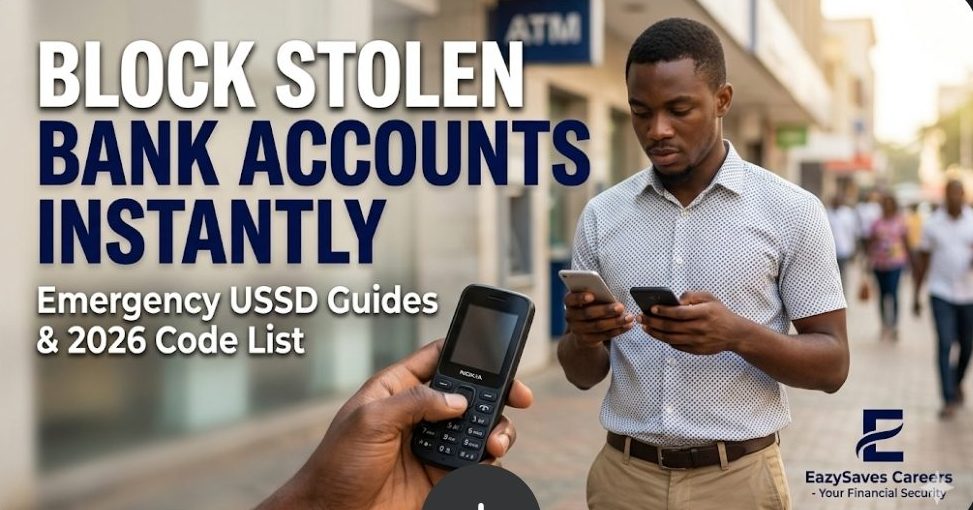
Lost your phone? Learn how to block stolen bank cards and accounts using USSD from any phone. Plus, fix “Invalid MMI Code” errors with our 2026 Nigerian guide. This is a complete guide.
- Emergency Guide: Block Stolen Cards & Fix USSD Errors (2026)
- Part 1: The Master List of Emergency USSD Codes to Block Your Account
- Part 2: The "Friend's Phone" Protocol (Solving the Real Problem)
- Part 3: Can You Reverse a Wrong Transfer Using USSD?
- Part 4: Fixing USSD "Connection Problem or Invalid MMI Code"
- Part 5: EazySaves Professional Security Advice
- Frequently Asked Questions
- Conclusion
Emergency Guide: Block Stolen Cards & Fix USSD Errors (2026)
Now let’s Picture this scenario: You are navigating through the busy traffic at Plaza in Uyo, or trying to quickly pay a vendor at the Ibom Tropicana. You reach into your pocket, and your phone is gone. Or worse, you just mistakenly transferred ₦50,000 to a stranger instead of your business partner.
You would be worried , right? You know that if the thief bypasses your screen lock, your bank apps and funds are highly vulnerable. Rushing to a physical bank branch, especially on a Monday morning when the queues on Abak Road or Oron Road are stretching out the door, this will take too long.
In the Nigerian digital banking ecosystem, USSD (Unstructured Supplementary Service Data) is your ultimate lifeline. It doesn’t require an internet connection, it works on “Nokia torch” feature phones, and it acts faster than a customer service agent.
At EazySaves, our mission is to ensure you never lose your hard-earned money to avoidable errors or fraud. In this blog post, we would show you how to use emergency USSD codes to block your account from anywhere, how to initiate a transfer reversal, and how to fix those annoying “MMI Network Errors” when you need to act fast.
Part 1: The Master List of Emergency USSD Codes to Block Your Account
When your phone or ATM card is stolen, every second counts. You do not have time to start Googling for customer care numbers that might keep you on hold for 15 minutes. You need to block all debit transactions immediately.
Below is the updated 2026 list of USSD codes to freeze your account for the top commercial banks in Nigeria.
1. Access Bank
- The Code: *901*911#
- How it works: Dial the code from any phone. It will prompt you to enter the phone number registered to your Access Bank account. Once confirmed, your account gets a “Post No Debit” (PND) status immediately, meaning no money can leave the account until you visit a physical branch.
2. United Bank for Africa (UBA)
- The Code: *919*9#
- How it works: UBA’s Magic Banking allows you to instantly lock your account. Alternatively, if you want to block just a compromised debit card (but keep the account open for USSD transfers), you can dial *919*10#.
3. Zenith Bank
- The Code: *966*911#
- How it works: Zenith Bank’s EazyBanking emergency code is highly responsive. Dial the code, enter your account number, and confirm your mobile number. The restriction is placed instantly.
4. First Bank of Nigeria
- The Code: *894*911#
- How it works: First Bank makes it simple. Dial the code, follow the on-screen prompts to confirm your identity, and your profile is locked from all digital channels.
5. Guaranty Trust Bank (GTBank)
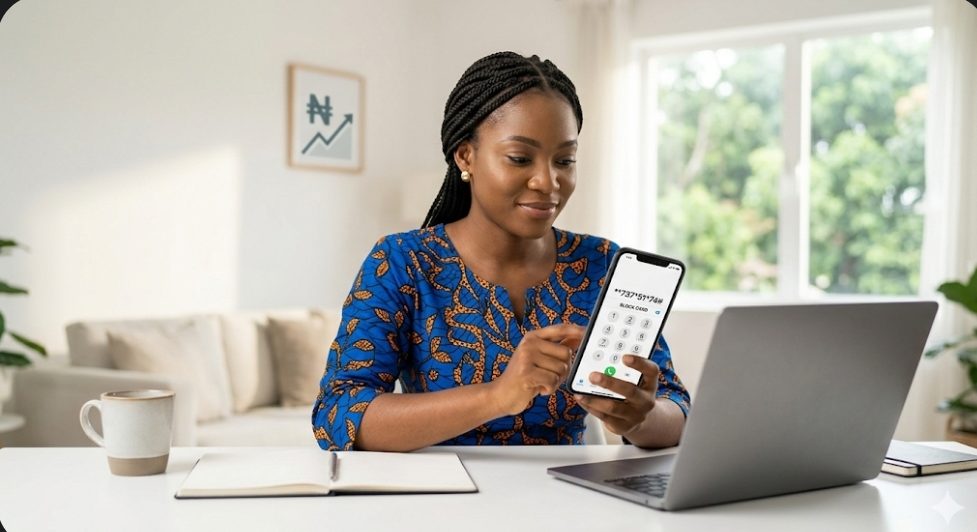
- The Code: *737*51*74#
- How it works: GTBank’s emergency protocol allows you to instantly block your USSD profile and account from any mobile device.
6. Union Bank
- The Code: *826*911#
- How it works: Enter this code to immediately suspend your mobile banking and block your debit cards from being used at POS terminals or ATMs.
EazySaves Expert Tip: Memorize the emergency code for your primary bank just like you memorize your BVN or your mother’s phone number. In a crisis, your memory is your best defense.
Part 2: The “Friend’s Phone” Protocol (Solving the Real Problem)
Here is a major problem most finance blogs ignore: If your phone is stolen, how are you supposed to dial a USSD code? The good news is that the Central Bank of Nigeria (CBN) mandates that emergency blocking codes must work from any phone network and any device. Check out the step-by-step strategy to block your account using a friend, colleague, or stranger’s phone:
- Borrow a Phone: It doesn’t matter if the phone uses MTN, Airtel, Glo, or 9mobile. USSD emergency codes are universally whitelisted.
- Dial Your Bank’s Emergency Code: (e.g., *901*911# for Access Bank).
- Input Your Stolen Number: The prompt will ask you to enter the phone number linked to the compromised account.
- Enter Your USSD PIN: You will be required to input your 4-digit USSD PIN to verify that you are the true owner of the account.
- Confirm the Block: You will receive a screen prompt confirming that the account has been restricted.
Note: Once blocked, even if the thief manages to bypass your phone’s lock screen and opens your bank app, they will not be able to transfer a single Naira.
Part 3: Can You Reverse a Wrong Transfer Using USSD?
Another massive search query in Nigeria is “How to reverse money sent to the wrong account.” Whether it was a typo in the account number or falling victim to a scammer, sending money to the wrong person is agonizing.
The Hard Truth About USSD Reversals:
Currently, there is no direct USSD code that acts as an “Undo” button to magically pull money back into your account. Once a transfer is successful, the money belongs to the receiving bank.
However, you can use USSD to initiate a dispute before heading to the bank.
The Protocol for Wrong Transfers:
- Do not panic, do not call the receiver: If you alert a fraudulent receiver, they will immediately move the money to a POS or crypto wallet.
- Check your balance via USSD: Dial your standard bank USSD code (e.g., *894#) to check your mini-statement and confirm the transaction actually dropped. Sometimes, network glitches cause a debit without the money leaving the banking gateway.
- Generate a USSD Statement: If your bank allows it, use the USSD menu to generate an email statement. You will need the exact time, date, and Session ID of the transaction.
- Visit the Bank: You must visit your bank’s physical branch immediately. Request a “Recall of Funds” form. Your bank will place a lien (a temporary hold) on the receiver’s account while an investigation is carried out.
Part 4: Fixing USSD “Connection Problem or Invalid MMI Code”
It is incredibly frustrating when you urgently need to buy airtime, pay a bill, or block an account, and your screen flashes: “Connection Problem or Invalid MMI Code.” This is a frequent occurrence during heavy rains or peak network hours across Akwa Ibom and other states. Before you blame your bank, understand that this is a telecom issue. Here is how to fix it instantly:
Solution 1: The “Airplane Mode” Hack
90% of the time, your phone is simply struggling to handshake with the local cell tower.
- Swipe down your notification bar.
- Turn on Airplane Mode.
- Wait exactly 10 seconds.
- Turn Airplane Mode off. This forces your phone to connect to the strongest, closest tower. Try dialing the USSD code again.
Solution 2: Add a Comma (The Hidden Trick)
Sometimes, the network times out before the USSD code can process. You can force the network to pause and process the request by adding a comma at the end of the code.
- Instead of dialing *894#, dial *894#,
- How to type a comma on the dialer: Hold down the asterisk * button for two seconds until a comma , appears.
Solution 3: Change Preferred Network Type
If you are using a 4G or 5G phone, USSD codes can sometimes conflict with Voice over LTE (VoLTE) settings.
- Go to Settings > Network & Internet > Mobile Network.
- Change your preferred network type from 4G/LTE to 3G or 2G.
- Dial the code. Once successful, switch back to 4G.
Part 5: EazySaves Professional Security Advice
Securing your financial future isn’t just about saving money; it’s about protecting what you already have. As digital banking evolves in Nigeria, so do the tactics of scammers.
1. Put a PIN on your SIM Card:
This is the single most important security step you can take today. If your phone is stolen, the first thing a thief does is remove your SIM card and put it in another phone to dial USSD codes and reset your bank passwords. If your SIM has a PIN, it becomes completely useless the moment it enters a new phone.
- Go to Settings > Security > SIM Card Lock and set a 4-digit PIN. (The default for MTN is usually 0000; change it immediately!).
2. Separate your “Alert” SIM from your “Browsing” Phone:
For high-net-worth individuals or serious savers, consider keeping the phone number linked to your BVN and bank accounts on a small, cheap feature phone (“Nokia torch”) that you leave at home. Only carry a phone with a different, unconnected SIM card for daily browsing and WhatsApp.
3. Set USSD Transfer Limits:
Most banks allow you to set a daily limit on USSD transactions. Dial your bank’s main USSD menu, go to “Settings” or “Security,” and reduce your daily USSD limit to ₦20,000 or ₦50,000. If you ever need to transfer more, use the official banking app.
Professional Insight: The “Dual-Device” Security Strategy
For professionals balancing remote work, freelancing, and local business operations, a compromised bank account is more than a minor inconvenience, it is a critical operational risk. When managing business funds or receiving salary payments, relying solely on a smartphone app leaves you vulnerable to both physical theft and network outages. A strategy I strongly recommend for digital entrepreneurs and remote workers is to treat your banking USSD PIN with the exact same level of security as your primary email password. Establish a “dual-device” system: keep your primary banking SIM securely at home inside a basic feature phone (a “Nokia torch”), and use a completely separate SIM card for your daily mobile data and public Wi-Fi access. This physical separation is the ultimate firewall against digital theft and ensures your funds remain untouched even if your primary smartphone is lost.
Frequently Asked Questions
Can I unblock my account using a USSD code?
No. For security reasons, while you can block an account from your phone, you cannot unblock it. You must visit a physical branch of your bank with valid identification (NIN or Driver’s License) to lift the restriction.
Does it cost money to dial emergency USSD codes?
The CBN mandated a flat fee of ₦6.98 for USSD transactions in Nigeria. However, emergency blocking codes are often zero-rated (free) to ensure customers can protect their funds even if they have zero airtime balance.
What if the emergency code for my bank is not working?
If the network is completely down and the USSD code won’t go through, your backup plan should be to call your bank’s official anti-fraud hotline or send them a direct message on their verified X (formerly Twitter) handle, providing your account number and requesting an immediate PND.
Conclusion
Mastering the use of USSD codes is a non-negotiable survival skill in the Nigerian digital economy. By knowing exactly how to block your account from a friend’s phone and how to bypass basic network errors, you are taking proactive control of your personal finances.
Save this page, bookmark it, and share it with your family members. Financial literacy is the first step to financial security. For more expert insights on navigating digital payments, wealth building, and career growth in Nigeria, keep reading EazySaves.
Don’t forget to share this update for others to learn and benefit from it. Thanks for reading.
Iniobong is the Founders of EazySaves and a seasoned Career Consultant with over 4 years of experience in Virtual HR Management. Holding an M.A. and B.A. in Linguistics, Iniobong combines his deep understanding of structured communication with SEO expertise to provide Nigerians with clear, actionable advice on career growth and financial literacy. He is dedicated to helping young professionals navigate the digital economy with ease.
The co-founder is Anietie Asuquo