
The Ultimate Guide: Smart Ways to Protect Your Bank Account From Online Scams 2026
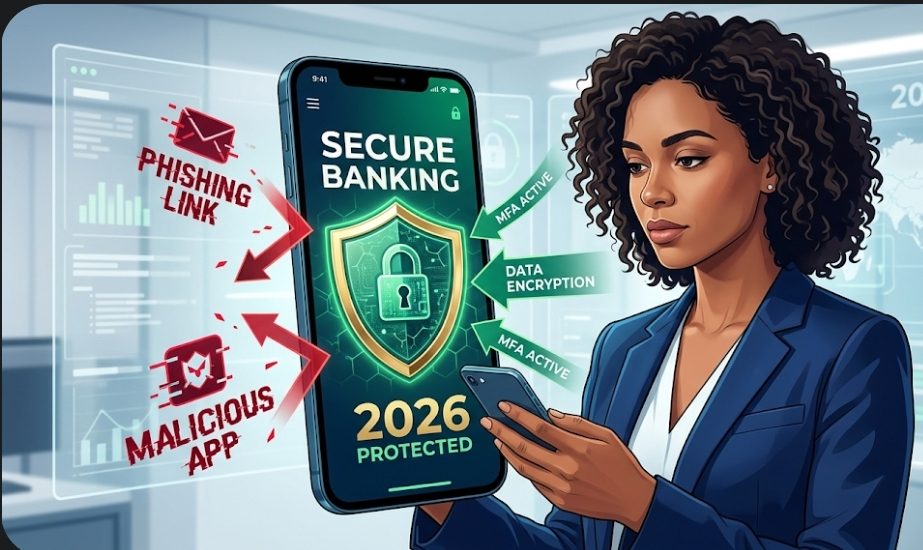
Smart Ways to Protect Your Bank Account From Online Scams 2026. Learn how to identify AI voice scams, set up advanced multi-factor authentication, and use smart digital tools to stop hackers and online fraudsters in their tracks.
The Ultimate Guide: Smart Ways to Protect Your Bank Account From Online Scams 2026
We have all felt that sudden, stomach-dropping moment of panic. You receive an urgent text message that looks exactly like it is from your bank, or an email warning you of “unauthorized login attempts” on your checking account. In a split second, you are left wondering if your hard-earned money is about to vanish.
As we navigate through 2026, the digital financial landscape has never been more convenient, but unfortunately, cybercriminals have also leveled up.
Gone are the days of easily detectable scam emails filled with poor grammar and unbelievable promises. Today’s fraudsters are armed with artificial intelligence, highly convincing voice-cloning technology, and spoofed websites that look identical to your legitimate banking portals.
At EazySaves, we believe that building wealth and saving money is only half of the financial equation. The other critical half is fiercely protecting what you already have.
If you want to secure your financial future, you need a modern defense strategy. Below, we are diving deep into the most effective, smart ways to protect your bank account from online scams 2026.
Top Skills Required for a Blockchain Finance Career in Nigeria (2026-2027)
The New Face of Digital Fraud in 2026
Before you can build your defenses, you need to know what you are up against. In 2026, financial scams have evolved from simple phishing links to highly coordinated psychological manipulation. Cybercriminals no longer just try to hack systems; they try to hack you.
Here are the most prevalent threats targeting bank accounts right now:
- AI Voice Cloning: Scammers use short audio clips pulled from social media to clone the voices of your loved ones or banking representatives. They will call you in a simulated panic, demanding immediate fund transfers.
- Smishing (SMS Phishing) Automation: Fraudsters send automated, hyper-realistic text messages claiming your debit card has been locked. The links direct you to fake banking login pages designed to harvest your credentials instantly.
- The “Human Verification” Trap: You visit a website and are asked to prove you are not a robot by solving a CAPTCHA. In reality, the fake security prompt is installing malware in the background to capture your keystrokes.
- Peer-to-Peer (P2P) “Accidents”: A stranger sends you a large sum of money on an app like Zelle or CashApp, then begs you to send it back, claiming it was a mistake. If you return it, the original stolen funds are reversed by the bank, and your own legitimate money is gone forever.
Awareness is your first line of defense. Now, let us look at the actionable steps you must take to lock down your finances.
7 Smart Ways to Protect Your Bank Account From Online Scams 2026
1. Embrace the Passkey and Password Manager Revolution
The single biggest vulnerability for most internet users is password reuse. If you use the same password for your Netflix account, your email, and your online banking, you are putting your entire financial life at risk. When a low-security site experiences a data breach, hackers immediately test those stolen passwords against major banking portals.
The Smart Fix:
Stop relying on human memory. You need a dedicated, encrypted password manager. These tools generate mathematically complex, impossible-to-guess passwords (e.g., Xy7$#kL9@mP2v!Q) for every single account you own. You only need to remember one master password to unlock the vault.
Furthermore, 2026 is the year of the “Passkey.” Many major banks are transitioning away from typed passwords entirely, allowing you to log in using cryptographic keys tied to your device’s biometric sensors (like Face ID or fingerprint scanners). If your bank offers Passkey logins, enable them immediately. They are highly resistant to phishing because there is no password for a scammer to steal.
2. Upgrade Your Multi-Factor Authentication (MFA)
Multi-Factor Authentication (MFA) is no longer optional; it is a mandatory shield for your money. However, not all MFA is created equal.
For years, users have relied on SMS text messages to receive their one-time passcodes (OTPs). While this is better than nothing, skilled hackers can now perform “SIM-swapping” attacks, hijacking your phone number so the bank’s security codes go straight to the scammer’s device.
The Smart Fix:
Log into your banking settings and switch your MFA method from SMS to an Authenticator App (such as Google Authenticator, Microsoft Authenticator, or Authy).
These apps generate time-sensitive, rotating codes locally on your physical device, meaning they cannot be intercepted over cellular networks. For ultimate security, consider a physical hardware security key (like a YubiKey) that must be plugged into your device to authorize major financial transfers.
3. Set Up Micro-Transaction Alerts
Scammers rarely drain an entire account in one dramatic sweep. Often, they will test the waters to see if you are paying attention. They might charge $1.50 or $3.00 to a stolen debit card. If the transaction goes unnoticed, they will wait a few days before attempting a massive withdrawal.
The Smart Fix:
Do not wait for your monthly statement to review your finances. Open your mobile banking app and navigate to the “Alerts” or “Notifications” tab. Set up real-time push notifications or emails for every single transaction over $0.01.
Yes, your phone will buzz every time you buy a coffee, but this minor annoyance is the ultimate early warning system. If your card is compromised in a data breach or by a hidden skimmer at a gas station, you will know the exact second the criminal tries to test your account, allowing you to freeze the card before real damage is done.
4. Master the “Hang Up and Verify” Rule
Social engineering relies entirely on manufactured urgency. A scammer will call you, spoofing the caller ID to make it look exactly like your bank’s official customer service number. They will sound professional, authoritative, and deeply concerned, telling you that thousands of dollars are being wired to a foreign country and that you must confirm your PIN to stop it.
The Smart Fix:
Adopt a policy of “Zero Trust” for inbound communications. Your legitimate bank will never call, text, or email you to ask for your password, PIN, or one-time secure access code. They will never ask you to transfer money to a “secure holding account.”
If you receive an alarming call from your bank, take a deep breath, firmly say, “I will call you back directly,” and hang up the phone. Turn your phone off and on again (to break any potential line-holding scams), look at the back of your physical debit or credit card, and dial the official number printed there. Nine times out of ten, the real bank will have no record of the emergency.
5. Never Bank on Public Wi-Fi Without a VPN
We all love the convenience of checking our balances while sipping a latte at a local coffee shop or waiting at the airport. But free, unsecured public Wi-Fi networks are digital playgrounds for hackers.
Using basic “packet sniffing” software, a cybercriminal sitting across the room can intercept the unencrypted data traveling between your smartphone and the coffee shop’s router, capturing your login credentials in mid-air.
The Smart Fix:
Treat public Wi-Fi as inherently hostile. If you absolutely must check your bank account, pay a bill, or make an online purchase while in public, turn off your phone’s Wi-Fi entirely. Rely on your cellular data connection (4G, 5G, or LTE), which is significantly harder to intercept.
If you travel frequently and must use public networks, invest in a premium Virtual Private Network (VPN). A VPN creates a secure, encrypted tunnel for your data, making it invisible to anyone else sharing the network.
6. Audit Your Linked Apps and Digital Footprint
In the era of Open Banking, we routinely connect our primary checking accounts to third-party apps. Budgeting tools, stock trading platforms, automated savings apps, and peer-to-peer payment systems all require access to your financial data. While these tools are incredibly helpful, every app you link to your bank account creates a new potential entry point for hackers.
The Smart Fix:
Conduct a quarterly digital audit. Log into your primary banking portal and look for a section titled “Linked Apps,” “Data Sharing,” or “Third-Party Access.” Review the list of services authorized to access your money.
Do you see a budgeting app you stopped using three years ago? Revoke its access immediately. Only grant permissions to reputable, actively used financial tools that maintain the highest cybersecurity standards.
7. Keep Your Devices Surgically Updated
”Remind me tomorrow.” We are all guilty of ignoring software update notifications on our phones and laptops. However, these updates are rarely just about adding new emojis or changing the layout; they are primarily vital security patches designed to close newly discovered loopholes that hackers are actively exploiting.
See also: The FBI Internet Crime Complaint Center
The Smart Fix:
Enable automatic updates for your operating systems (iOS, Android, Windows, macOS) and, most importantly, for your banking apps. Running an outdated browser or an unpatched operating system is the digital equivalent of leaving your front door wide open in a bad neighborhood. Furthermore, ensure you are running reputable, lightweight anti-malware software on your personal computer to detect malicious downloads before they can install keystroke loggers.
Emergency Protocol: What to Do If You Fall Victim
Even the most cautious, tech-savvy individuals can fall prey to a well-executed scam. Cybercriminals manipulate human psychology, taking advantage of fear, distraction, and exhaustion. If you realize you have clicked a malicious link or handed over sensitive information, time is your most critical asset. Do not let embarrassment paralyze you.
Take these steps immediately:
- Hit the Kill Switch: Open your banking app and use the “Freeze Card” or “Lock Account” feature instantly. If you cannot access the app, call the fraud department using the number on the back of your card.
- Change the Locks: From a different, secure device, log in and change your banking passwords, as well as the password to your primary email account (which controls your password resets).
- Initiate a Dispute: Inform the bank’s fraud department exactly what happened so they can begin the chargeback and dispute process.
- Report the Crime: File an official report with your local authorities and the appropriate federal bodies (such as the Federal Trade Commission at IdentityTheft.gov or the FBI’s Internet Crime Complaint Center). This documentation is often required by banks to process fraud claims.
- Monitor Your Identity: Place a temporary freeze on your credit reports with the major credit bureaus to prevent the scammers from opening new loans or credit cards in your name.
Conclusion
Protecting your financial assets in 2026 requires vigilance, healthy skepticism, and a willingness to utilize modern security tools. Scammers will always look for the path of least resistance.
By using password managers, enabling authenticator-based MFA, monitoring your transactions in real-time, and refusing to engage with unsolicited contacts, you make yourself an incredibly difficult target.
At EazySaves, we want you to grow your wealth with confidence. Implement these smart ways to protect your bank account from online scams today, so you can focus less on digital threats and more on your financial freedom.
Disclaimer
This article is for informational and educational purposes only and does not constitute professional financial or legal advice. Always consult with your certified financial institution or a cybersecurity professional regarding the specific security features available for your accounts.

Iniobong is the Founders of EazySaves and a seasoned Career Consultant with over 4 years of experience in Virtual HR Management. Holding an M.A. and B.A. in Linguistics, Iniobong combines his deep understanding of structured communication with SEO expertise to provide Nigerians with clear, actionable advice on career growth and financial literacy. He is dedicated to helping young professionals navigate the digital economy with ease.
The co-founder is Anietie Asuquo